Where requests come from
A request does not have to be typed by the same person who does the work with it. It is the shared inbox for incoming work, and there is more than one door into it. Where it goes once it is in is covered in the life of a request.
Someone in your office
Section titled “Someone in your office”Anyone with access can raise one. In practice that means:
- Reception or the front desk — a call comes in, or someone walks in, and the request is typed while the client is still on the line. That is what the client’s preferred time field is for: you write down when they want you, without promising a slot.
- A manager or admin — work that arrives by email, WhatsApp or word of mouth gets recorded as a request so it stops living in one person’s inbox.
Both use the same Add Request form. See creating a request.
From the scheduler
Section titled “From the scheduler”A request can also be raised from the scheduler, without going to the Request list first — Add in the top-right corner, then Add Request. It is the same form, and the request it creates behaves exactly the same. Useful when you are already looking at the week and someone rings.
From a fieldworker on site
Section titled “From a fieldworker on site”The person doing the work is a source too. Raise Request at the foot of a job in the app is how they ask the office for what they have not got, without leaving the job.
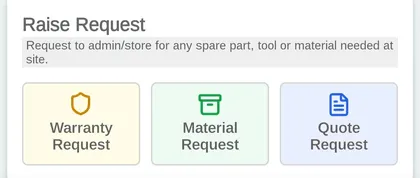
The app → a job → Raise Request
A material request is the spare part or tool they need sent out; a warranty request is a part that failed inside its guarantee; a quote request is a price for extra work they have just found. All three come from the one place where the problem is actually visible. See a job in the app.
From the client
Section titled “From the client”Clients with access to the client portal can raise their own requests. What they submit lands in the Request list the same as anything typed by your own staff, and they can follow it from there — including the messages you send them on it.
From your website
Section titled “From your website”Your own website can take requests directly. The client portal’s request form is embedded in one of your pages — as an iframe that shows the form in place, or as a button that opens it — and what a visitor submits arrives as a request in the admin portal instead of as an email someone has to re-type.
Enquiries, support tickets and bookings all work this way, and you decide what the form asks a client for: which fields they see, whether your services are shown as priced cards or a plain dropdown, and whether prices appear at all.
See taking requests from your website.
From another system
Section titled “From another system”A CRM, an ERP or your own in-house tool can put a request straight into EyeOnTask through the API, with the customer’s details or against a customer who already exists — see creating a request. It arrives in the same list as everything else, and the source the integration sends is what tells the office which system it came from.
That is the route for an enquiry that has already been captured somewhere else. It saves the re-typing, and it means nothing is lost between the two systems.
What the request records about where it came from
Section titled “What the request records about where it came from”Two different things, worth keeping apart:
- Reference By on the request is how the client found you — advertisement, existing customer, referral. It is a list you set up, and it is what makes requests worth reporting on later.
- Form Name is which of your request forms it was raised on — the enquiry form, the ticket form. It shows beside the status on the request page and as its own column in Table View.