Getting help
Most questions have an answer on one of these pages. This is how to find it, and what to do when it is not here.
Finding it here
Section titled “Finding it here”Search is at the top of every page, and it searches the words inside the pages rather than only their titles — so the phrase you saw on screen usually finds the page that explains it.
The sidebar is organised the way the app is: one group per module. If you know roughly where the thing lives, opening that group is faster than searching.
Each module opens with a How it works page — how jobs work, how invoices work, how contracts work, and so on. Those are worth reading once before the how-to pages, because they explain what the module is for and how its pieces fit. A question that starts “why does it…” is usually answered there rather than on a step-by-step page.
Video walkthroughs, inside the app
Section titled “Video walkthroughs, inside the app”Some things are quicker watched than read. EyeOnTask carries short videos in the app itself — a minute or two each, one per module.
Click EyeOnTask at the top of the main menu to get to them. That screen also carries the getting-started checklist — create your team, create a job and assign it, generate your first invoice — with a tick against each once you have done it.
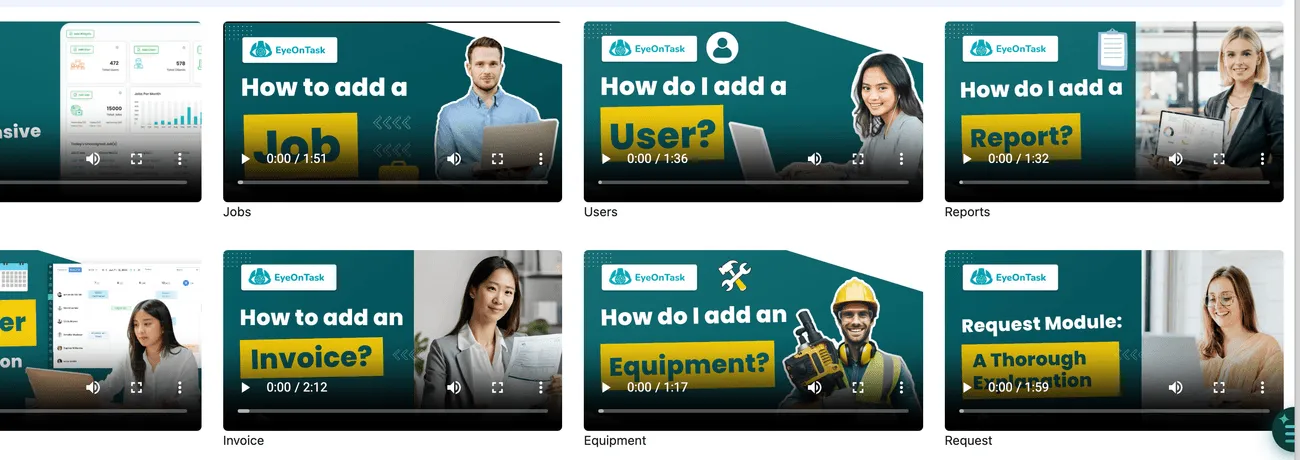
Main menu → EyeOnTask
They are the fastest way to hand a new starter the shape of a module before they read the detail here.
Asking the assistant
Section titled “Asking the assistant”There is also an assistant in the app you can ask in plain language — how do I raise a credit note, why will this invoice not sync. It answers from these pages and links to the one it used, so you can read the detail.
It is text support only — it cannot take actions or look up data in your account. It can tell you how to do something, but it cannot do it for you; that is coming in an upcoming version. See the AI assistant for what it can and cannot do, and what it is being built towards.
When the answer is not here
Section titled “When the answer is not here”Reach the EyeOnTask team by live chat on the website, or by email at support@eyeontask.com.
Not signed up yet, and want to see it working? Ask the same way for a walkthrough — there is no booking page for it. The 15-day trial is the other way to look around, and questions before you sign up answers what people usually ask first.
It saves a round trip to say which screen you were on and what you expected to happen — the module, what you pressed, and what appeared instead.
If you are a fieldworker
Section titled “If you are a fieldworker”Your account, your permissions and the jobs you are sent are all set up by your own office rather than by EyeOnTask. If you cannot sign in, cannot see a job you expect, or cannot reach a part of the app, that is your admin’s to change — see fieldworker mobile app permissions for what they control.