The contract document and e-signature
Everything you set up on a contract exists so it can eventually become a document the client sees and signs. This page covers turning the contract into that document, sending it, and getting it back signed.
The layout is not fixed — you can design your own contract template under Settings → Templates — but what follows is about the document itself rather than how it is designed.
Generating the document
Section titled “Generating the document”The Preview & Send Email button on the contract page produces the client-facing paperwork:
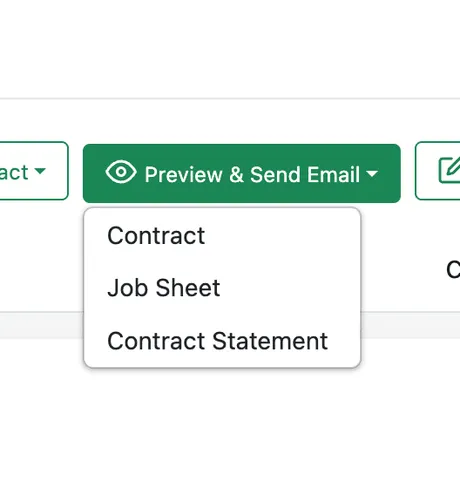
Contract page → Preview & Send Email
- Contract — the service agreement itself: the terms, the schedule, the pricing, and the signature blocks.
- Job Sheet — the work sheet for the visits under the contract.
- Contract Statement — the account view: what has been invoiced, paid, and is still outstanding.
Each one opens in a preview first, and from that preview you can download it as a PDF, print it, or email it to the client without leaving the contract. Downloading is how you get a copy to file or to send through your own channels.
What an agreement can look like
Section titled “What an agreement can look like”The pages below are one company’s agreement, not a layout EyeOnTask imposes — but they are a useful checklist of what a good service contract covers.
The agreement opens with everything a reader needs at a glance — the contract reference, what the agreement is for, and four summary figures — followed by both parties with their tax registration details.
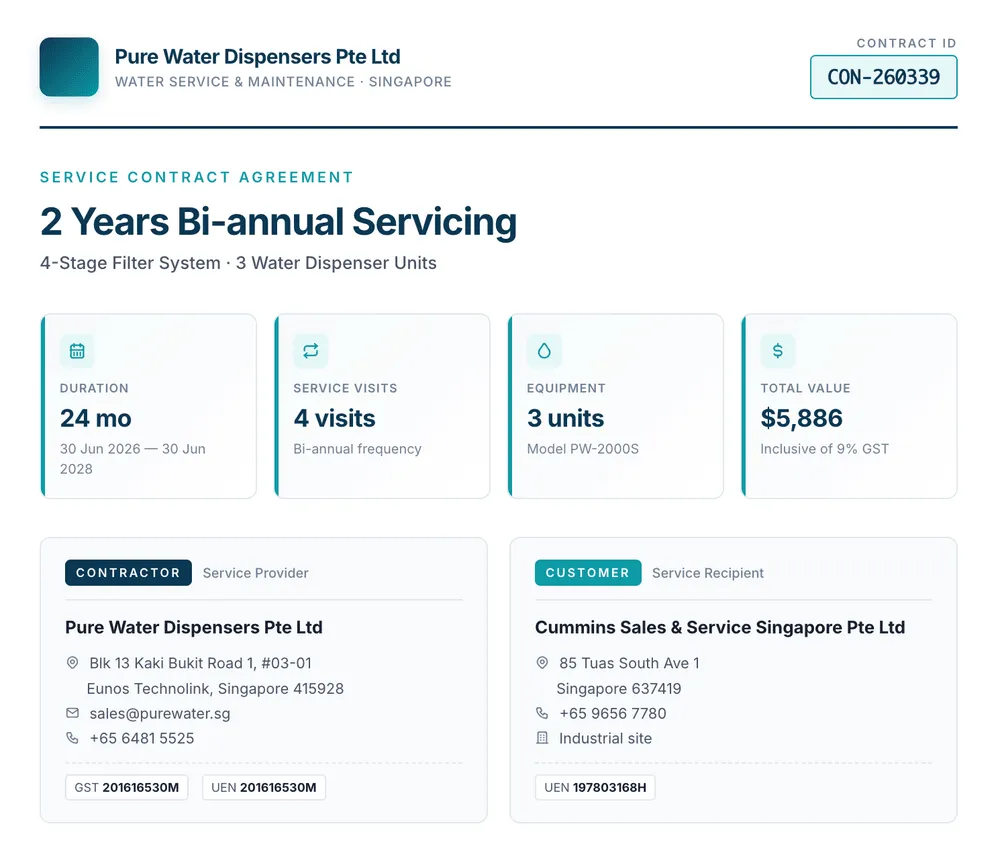
Example service agreement — summary and parties
Then the equipment covered, each unit listed with its model and serial number, and the visit schedule laid out on a timeline:
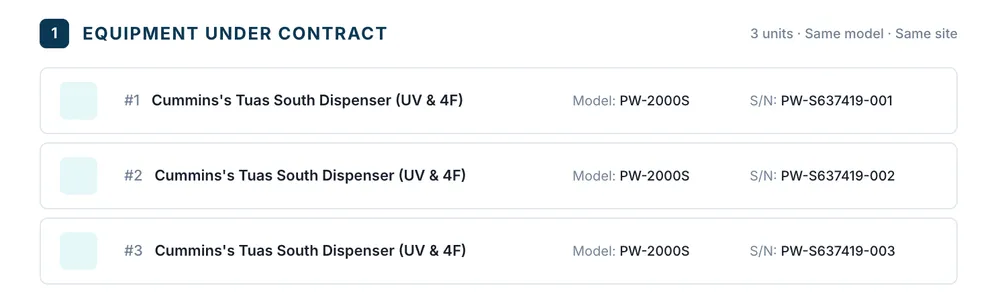
Example service agreement — equipment under contract
The scope separates what is included in the fee from what is charged separately, which is the distinction your rate card already encodes:
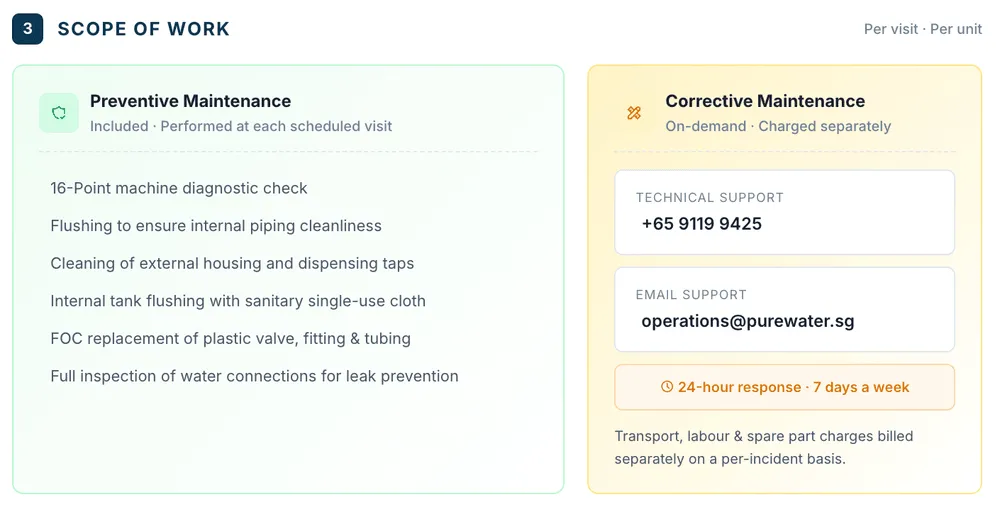
Example service agreement — scope of work
Pricing is itemised — units, visits, unit price and amount — with anything excluded shown as excluded rather than left out, then subtotal, tax and total:
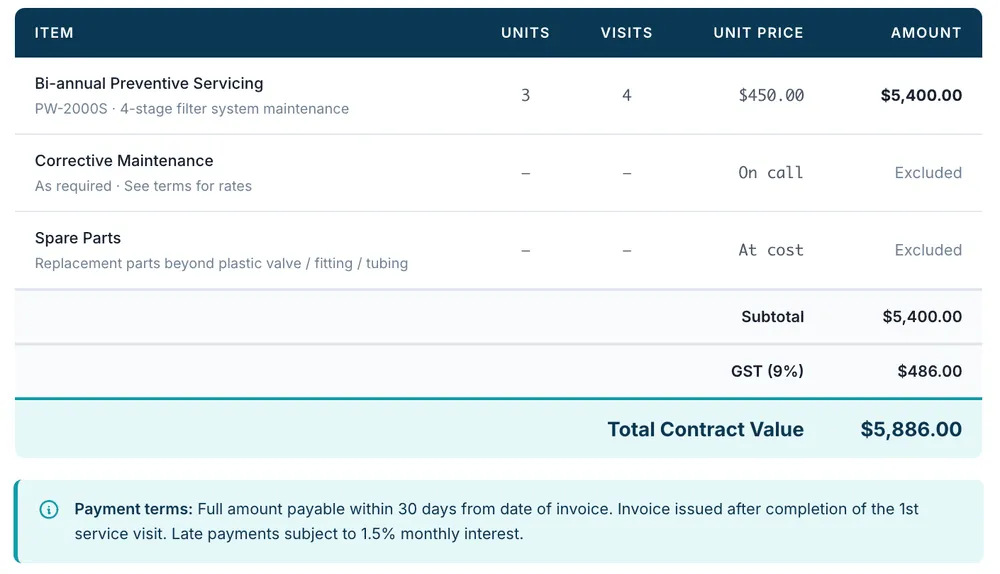
Example service agreement — pricing breakdown
Exclusions get their own emphasised block, so the limits of liability cannot be missed:
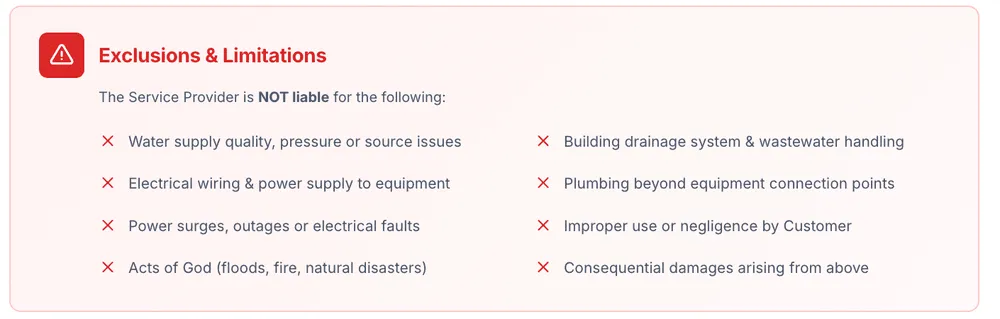
Example service agreement — exclusions and limitations
And the agreement closes with signature blocks for both parties and a verification footer:
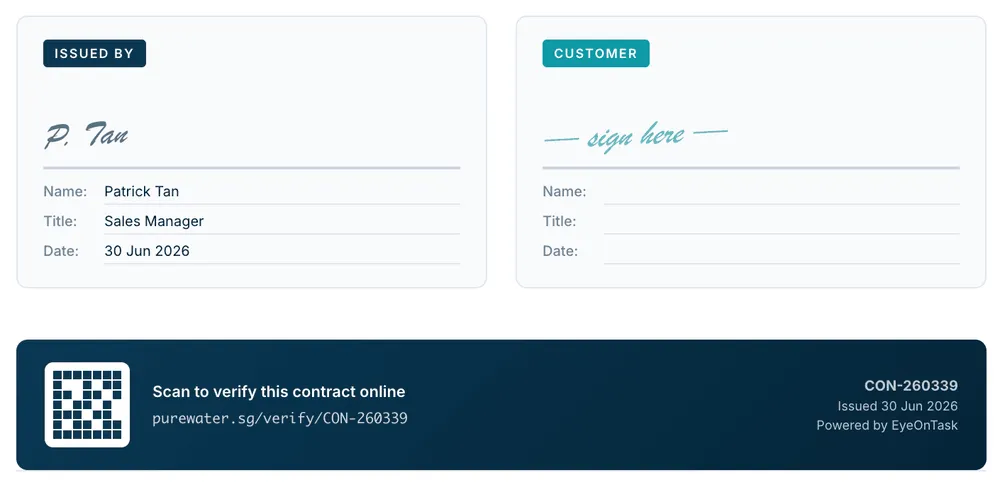
Example service agreement — signatures and verification
Where each part comes from
Section titled “Where each part comes from”Nothing in the document is typed twice — every value on it comes from the contract itself. That is why filling the contract in properly pays off twice: once for your own operations, once for the paperwork the client receives.
| In the document | Comes from |
|---|---|
| Contract reference and dates | The contract’s ID and term |
| Both parties, with tax registration details | Your company profile and the client record |
| The equipment covered, with model and serial numbers | The equipment linked to the contract |
| The service schedule — how many visits, and when | The work patterns |
| What each visit includes | The services on those patterns |
| Pricing, quantities and the contract total | The rate card and billing terms |
| Scope of work, terms and conditions, exclusions | The contract specification |
| Signature blocks for both parties | The contract’s parties |
Getting it signed
Section titled “Getting it signed”Send the document to the client for e-signature rather than printing, signing and scanning. Once they sign, the signed copy comes back and is visible on the contract itself, so the agreed version lives with the record it belongs to rather than in somebody’s inbox.
The signed file sits under the contract’s Contract Document tab. Note that this is a different thing from Field Photos from Jobs, which are the pictures your fieldworkers captured while doing the work.
Related
Section titled “Related”- How contracts work — the model behind everything above
- Predrafted contracts and packages — reuse an agreement you send often
- Invoicing a contract — the money side, once the agreement is signed