Company profile
The company profile is who you are. It supplies the letterhead on every document you send, the currency every price is written in, and the clock the whole account runs on.
Where to find it
Section titled “Where to find it”Settings → Company → Company Profile.
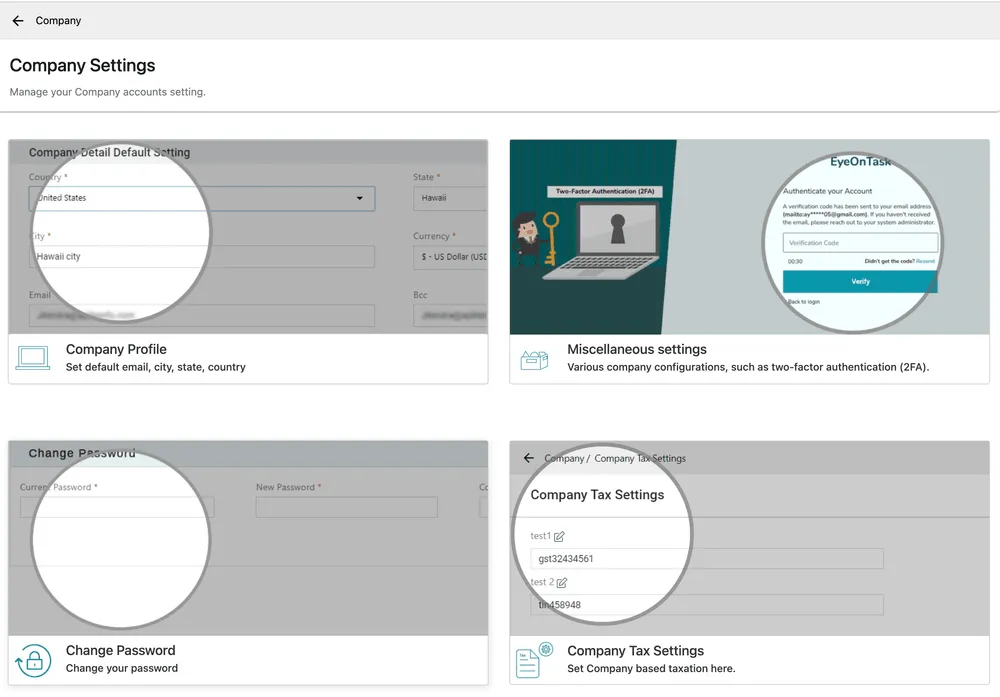
Settings → Company
Company holds seven screens in all — the four above, then Company Branches, Availability, Time Slot & Attendance Policy and Custom Language Setting further down the page.
Updating your company details
Section titled “Updating your company details”- Open Settings → Company → Company Profile. The screen is read-only until you press Edit.
- Press Edit, and change what you need.
- Press Update to save.
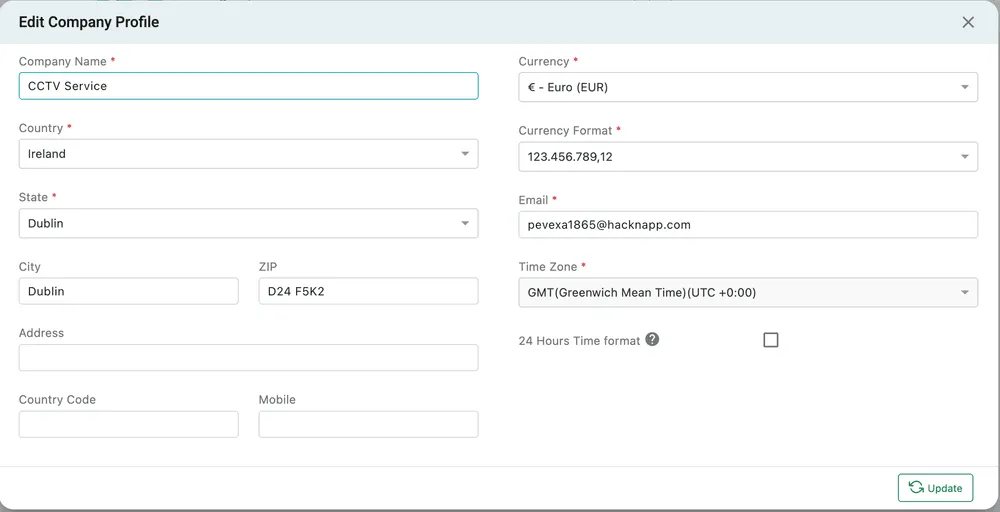
Settings → Company → Company Profile → Edit
| Field | What it does |
|---|---|
| Company Name | The name printed at the top of invoices, quotes, job cards and every other document. |
| Country, State, City, ZIP, Address | Your address, printed on documents as the sender. Country also sets which states the State list offers. |
| Country Code, Mobile | The contact number on your documents. |
| Currency | The currency every amount in the account is held in — rates, costs, invoices, expenses, wages. |
| Currency Format | How numbers are punctuated: 123,456,789.12 or 123.456.789,12. Presentation only; it does not change the amounts. |
| The address your outgoing mail comes from, and the default sender on emailed invoices and quotes. | |
| Time Zone | The clock for the whole account. Every scheduled time, check-in and timestamp is recorded and shown against it. |
| 24 Hours Time format | Tick for 17:00, leave clear for 5:00 PM. Applies everywhere times are shown, including the scheduler. |
Company Name, Country, State, Currency, Currency Format, Email and Time Zone are required.
Changing currency or time zone later
Section titled “Changing currency or time zone later”Both are account-wide, and both apply to records that already exist rather than only to new ones. Changing the currency re-labels existing amounts without converting them; changing the time zone shifts how existing times are displayed. Set them when you are opening the account, and change them afterwards only when the business genuinely has moved.
Related
Section titled “Related”- Company tax settings — the registration numbers that appear alongside your address on documents
- Company branches — trading from more than one location
- Templates — where the document that carries all of this is designed