Company tax settings
These are the registration numbers that identify your company to the tax authority. They belong to the company, and they print on the documents you send out — which is the whole reason for entering them.
Settings → Company → Company Tax Settings holds two of them.
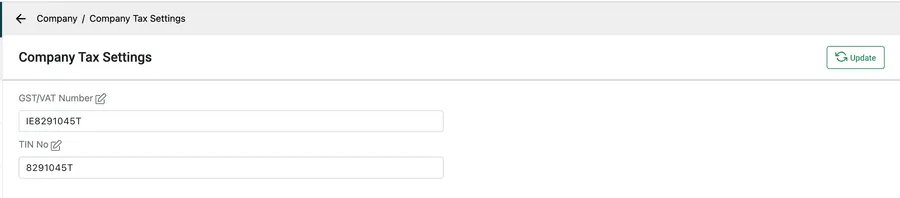
Settings → Company → Company Tax Settings
| Field | Usually |
|---|---|
| GST/VAT Number | Your sales-tax registration — GST in India and Australia, VAT across Europe and the UK, and so on. |
| TIN No | Your taxpayer identification number. |
Type the number into the box and press Update.
Renaming the labels
Section titled “Renaming the labels”The pencil sits beside the label, not the value. Click it and the label becomes editable, so a field can be called whatever your country calls it — ABN, EIN, VAT Reg No, CIF. The name you give it is the name that appears on your documents.
This is why there are only two fields and neither is fixed: rather than a list of every registration number in the world, you get two you name yourself.
Not the same as tax rates
Section titled “Not the same as tax rates”These numbers say who you are. They do not calculate anything.
The percentages that get added to a line — 20% VAT, 5% GST — are separate, and they live with the module that charges them: invoice tax settings for the rates you put on invoices and quotes, and inventory tax settings for a rate applied across your items.