Document templates
Nine of the thirteen templates are printed documents, and all nine use the same editor — a layout dropdown, a live preview, and panels for each part of the page.
What differs is the panels each one offers, because the documents are asking different questions.
Invoice template
Section titled “Invoice template”Settings → Templates → Invoice Template.
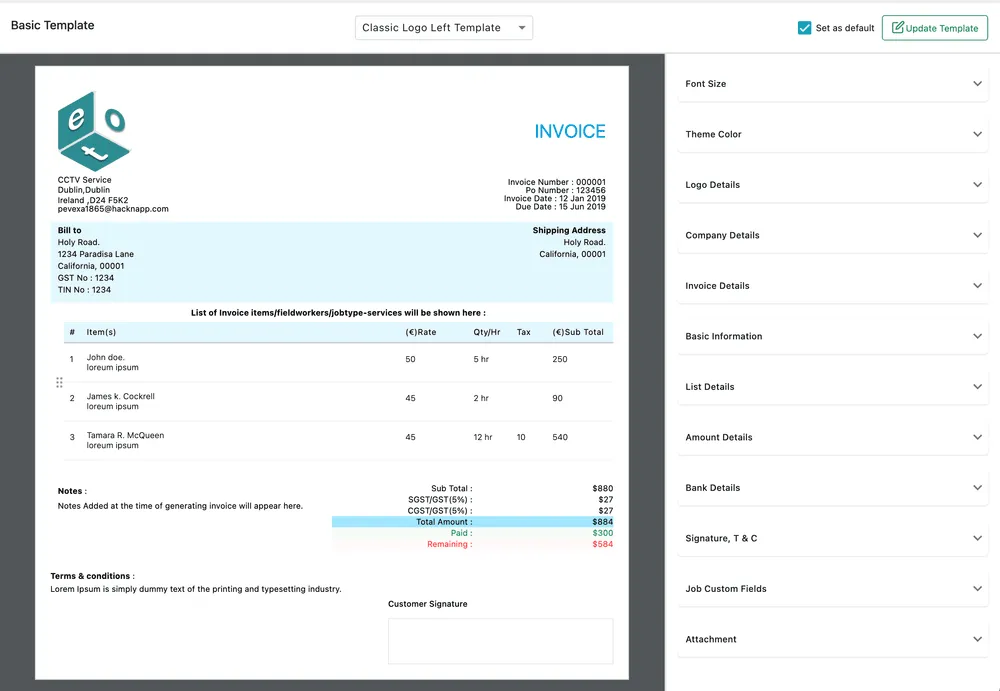
Settings → Templates → Invoice Template
The most heavily configured of the nine. Its panels cover Logo Details, Company Details, Invoice Details, Basic Information, List Details (the item table), Amount Details (subtotal, tax, total, paid, remaining), Bank Details, Signature, T & C, Job Custom Fields and Attachment.
Amount Details is the one to look at first — whether the document shows tax broken into components, and whether it shows what has been paid and what is still outstanding. See invoice payments.
More than one invoice layout
Section titled “More than one invoice layout”You are not limited to changing the one you were given. Create New Template on the invoice template makes another layout of its own — its own arrangement, its own panels, its own logo and colour — and you can keep as many as you need side by side. One of them is marked Set as default and is the one used when nobody chooses.
The choice happens at the point of sending. The dropdown above the preview in Preview and Send Invoice lists every invoice template you have saved, and switching it redraws the PDF the client is about to receive.
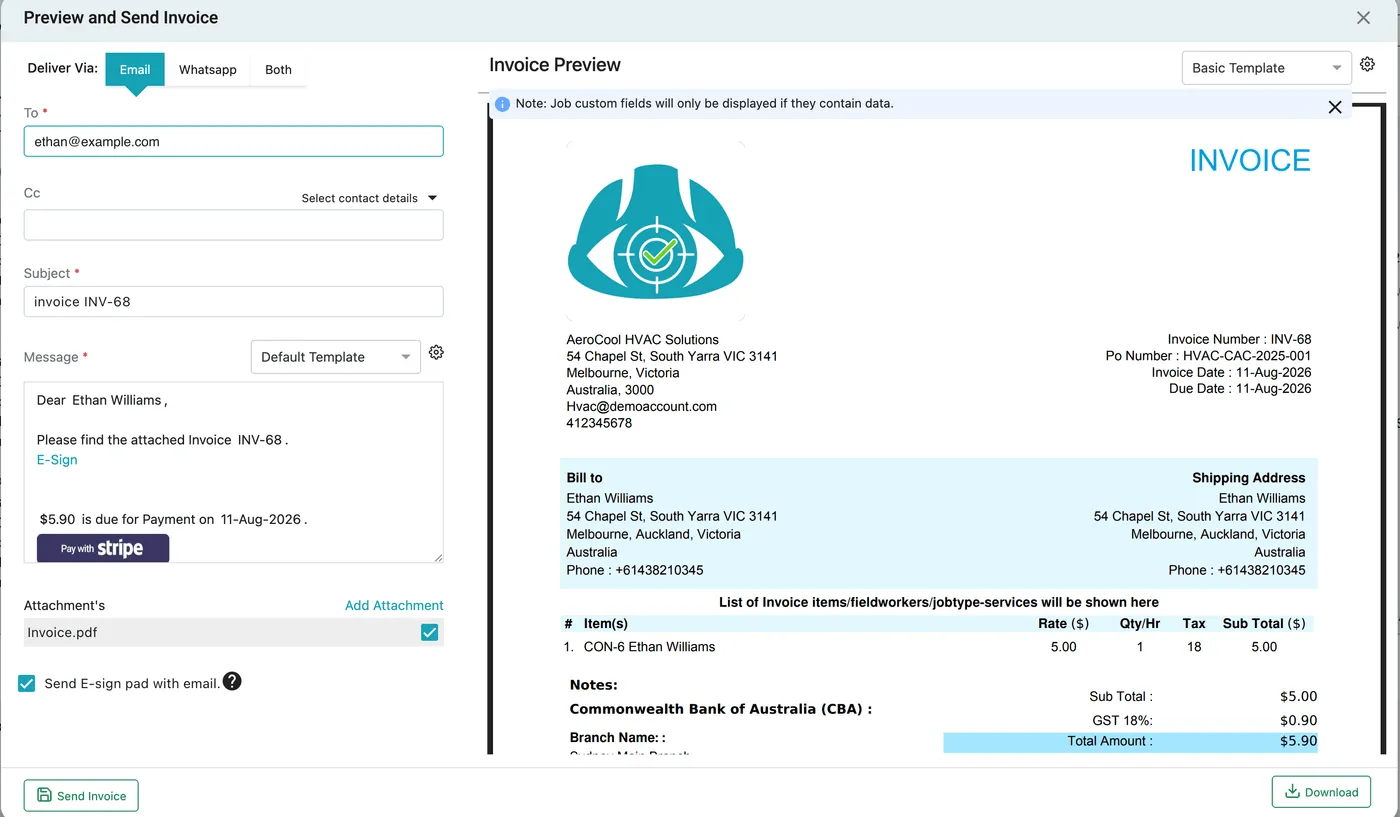
An invoice → Send → Preview and Send Invoice
That is what makes different layouts worth having: a detailed breakdown for the commercial account, something short for a domestic customer, and a third carrying different terms — all live at once, picked per invoice rather than switched company-wide. See sending an invoice and the template editor.
If the layouts on offer still do not fit, the arrangement itself is a dropdown — Classic Logo Left, Classic Logo Right and the rest — and each panel can be turned off entirely, so a template can be stripped back to very little.
Job card template
Section titled “Job card template”Settings → Templates → Job Card Template.
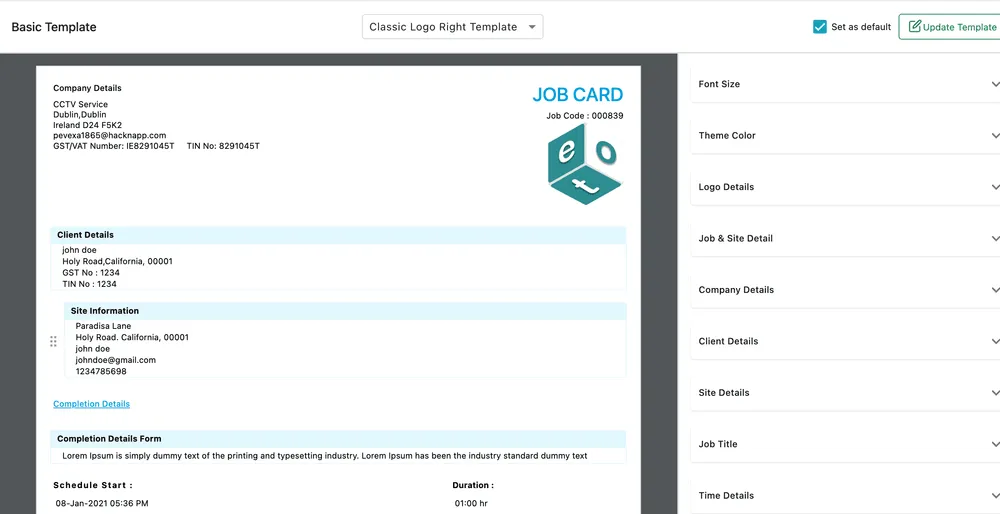
Settings → Templates → Job Card Template
The job card is the record of the visit that the customer keeps — what was done, by whom, what was used, and their signature. Its layout is affected by the width you gave each field on the job completion form.
Two settings elsewhere decide when it is sent: Send Job Card PDF automatically after E-signature is submitted, and Auto select job card template on the basis of equipment, both in work settings.
The rest
Section titled “The rest”| Template | The document | Where it comes from |
|---|---|---|
| Quotation | The quote you send for approval. | Sending a quote |
| Contract | The agreement, with duration, billing terms, scope of work and signature blocks. This is the layout it prints in — a contract filled in ahead of time is a predrafted contract instead. | Contract document and e-sign |
| PO | The purchase order sent to a supplier. | Creating a purchase order |
| Warranty Claim | The claim raised against a supplier or manufacturer. | Creating a warranty claim |
| Job Sheet | The sheet an engineer works from, with the client’s details and the work to do. | How jobs work |
| Payment Receipt | Confirmation that a payment was received. | Invoice payments |
| Credit Note | Money credited back against an invoice. | Invoice actions |
Worth doing once, properly
Section titled “Worth doing once, properly”These nine documents are most of your written contact with a customer, and they are all produced from the same company details, the same logo and the same theme colour. Setting the invoice up carefully and then matching the others to it takes an afternoon and is visible on every job afterwards.
The parts worth checking on each: that the logo renders at the size you expect, that the company address and tax registration numbers are right, and that the terms and conditions block says what your business actually requires.