Client's equipment
Client’s Equipment holds the units your clients own. You did not keep them — you sold them, installed them, or were called in to look after them — but you still need to know everything about them, because you are the one who gets the call when one fails.
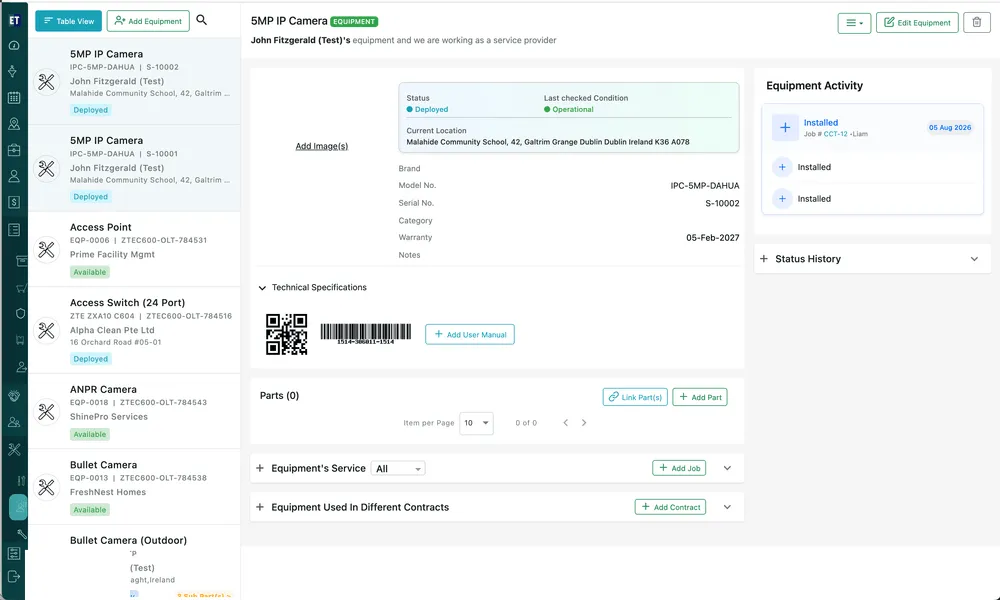
Equipment → Client’s Equipment
Who owns it
Section titled “Who owns it”
Equipment → Client’s Equipment → the selected unit
Every client unit names its owner across the top and states the relationship: their equipment, and you are working as a service provider. Ownership can move — see Transfer Ownership in equipment actions.
The list
Section titled “The list”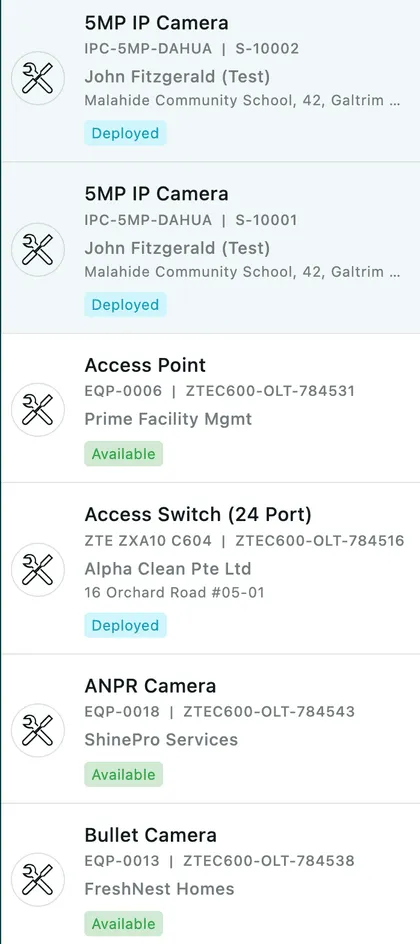
Equipment → Client’s Equipment
Alongside the model and serial numbers, each row carries the client and the address the unit is installed at, so two identical cameras at two sites never get confused. The badge shows its status — Deployed, Ready To Deploy, Available.
A unit made up of components also shows a Sub Part(s) count; see parts on a piece of equipment.
Status and condition
Section titled “Status and condition”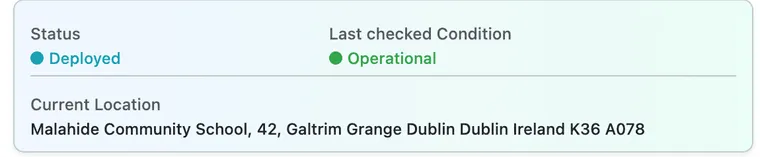
Equipment → Client’s Equipment → the selected unit
Status is where the unit is in its life — Ready To Deploy before it goes in, Deployed once it is installed and working.
Last checked Condition is what the fieldworker reported the last time somebody looked at it — Operational, or whatever conditions you have defined in equipment settings. Status is administrative; condition is the engineer’s verdict.
Current Location is the full site address, which is what the fieldworker navigates to.
What it has been through
Section titled “What it has been through”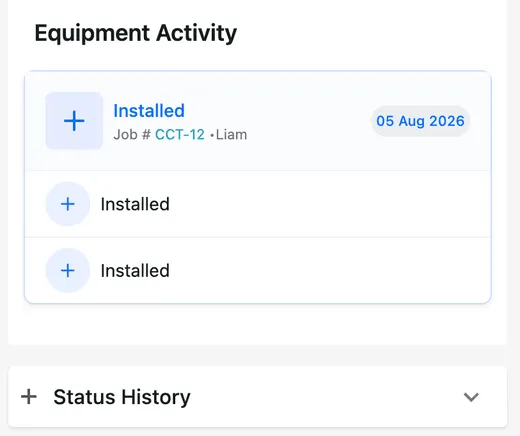
Equipment → Client’s Equipment → the selected unit
Equipment Activity is the unit’s life story: each entry names what happened, the job it happened on, who did it and when. Status History underneath records every change of status, so you can see when a unit went from ready to deployed.
This is the payoff for tracking units individually. A year later, “when was this camera installed and by whom?” is a question with an answer on the screen.
Where client equipment comes from
Section titled “Where client equipment comes from”- Sold and invoiced — Convert Into Equipment on the invoice promotes non-consumable lines onto the client’s record. See invoice actions.
- Fitted on a job — the items table has Convert Items Into Equipment, and the job form has Add new equipment for installation for a unit going in now. See equipment on a job.
- Added directly — Add Equipment here records a unit that was already on site before you arrived, with the client, the site and the address filled in.
All three routes are covered in turning items into equipment.
What you do with it afterwards
Section titled “What you do with it afterwards”Once a unit is on a client’s record it can be put on a servicing contract, named on a job, and reported on individually every time somebody visits it — see equipment on a contract and service and history.