The cart and advance payment on a request
A request can carry money as well as intent. The Cart puts a price on what has been asked for, and Advance Pay records a deposit taken before any of it is booked — the case where a client pays something up front on the phone.
The cart
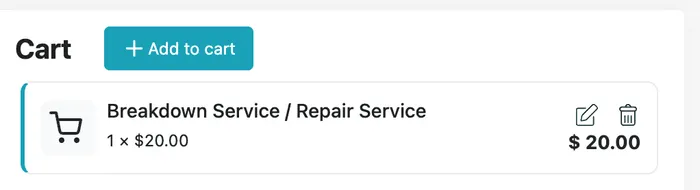
Section titled “The cart”The Cart panel down the right of the request holds the services being charged for, each with its quantity and price.
Request page → Cart
Each line shows the service, quantity × rate, and what that line comes to. The pencil changes the line; the bin takes it off.
+ Add to cart adds a service to the cart from the request page.
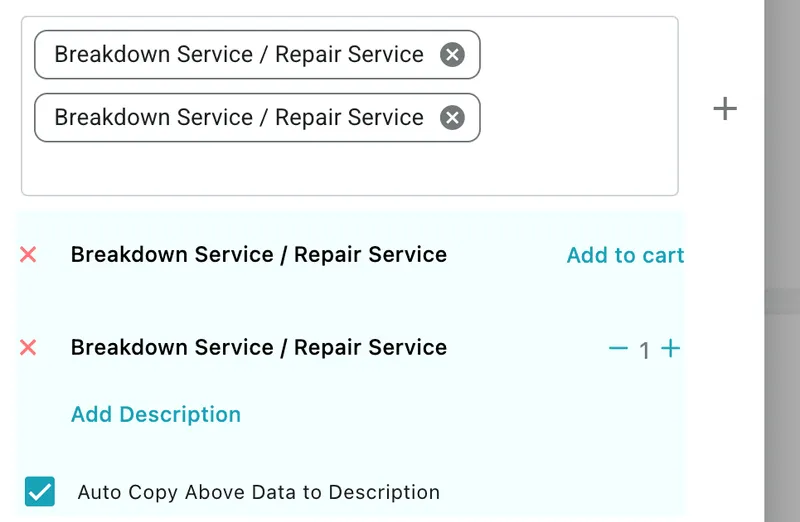
The other way in is Edit Request: every service on the request is listed there, and each one that is not in the cart yet has an Add to cart link beside it. Once a service is in the cart, that link is replaced by a − 1 + stepper for its quantity.
Edit Request → services
A service being on the request and a service being in the cart are two different things. The request records what the client asked for; the cart records what they are being charged for.
The totals
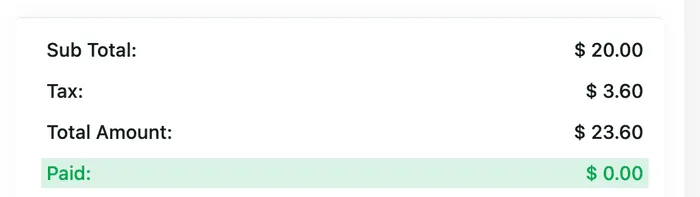
Section titled “The totals”Under the cart:
Request page → totals
- Sub Total — the cart lines added up, before tax.
- Tax — the tax on those lines.
- Total Amount — Sub Total plus Tax.
- Paid — how much has actually come in against this request, which is where an advance payment shows up.
Taking an advance payment
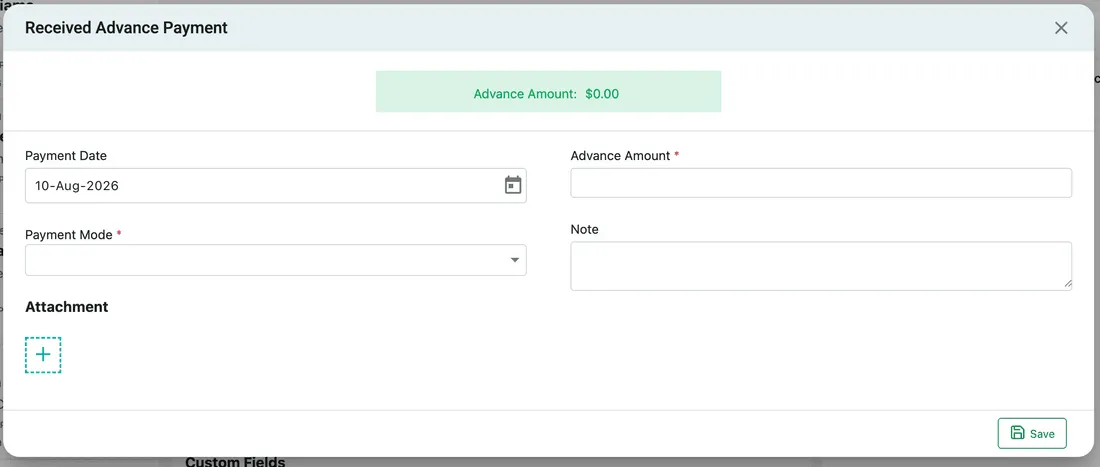
Section titled “Taking an advance payment”Advance Pay, in the request’s action bar, records money received before the work is done.
Request page → Advance Pay
The green banner across the top is how much advance has already been received on this request. Under it:
- Payment Date — when the money came in. It defaults to today; change it for a payment taken earlier.
- Advance Amount — how much. Required.
- Payment Mode — cash, card, bank transfer, or whichever modes you have set up under invoice and accounts settings. Required.
- Note — anything worth recording about the payment, such as the reference the client quoted.
- Attachment — the + tile takes a photo of the receipt or a screenshot of the transfer.
Save records it. The amount is added to the banner and shows against Paid in the totals.